
Spotify Offline Listening: MP3 Options and Legal Methods
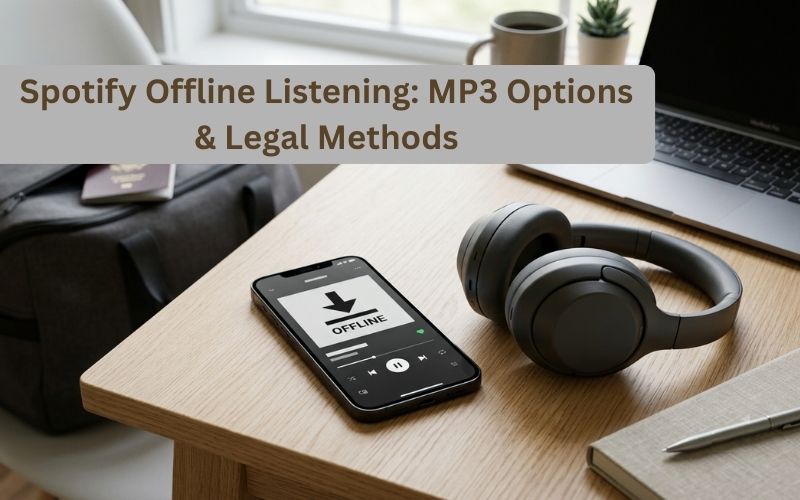
Spotify makes it easy to stream millions of songs, albums, and playlists, but internet access is not always available. Whether you are traveling, commuting, flying, or dealing with an unreliable connection, having music available offline can make listening much easier.
One common question is whether Spotify songs can be converted into ordinary MP3 files for use outside the Spotify app. The answer is more complicated than simply downloading a track.
Spotify provides an official offline-download feature for Premium subscribers. However, these downloads are designed to be played through Spotify rather than transferred as ordinary MP3 files to a USB drive, MP3 player, or another music application.
This guide explains how Spotify offline listening works, what you can download, the difference between Spotify downloads and MP3 files, and what to consider before using third-party conversion tools.
Also Read : Decadgarden Yard Tips by DecoratorAdvice: Simple Ideas for a Better Outdoor Space
How Spotify Offline Listening Works
Spotify Premium allows users to download music for offline playback.
You can download albums and playlists while connected to the internet and then listen when your device has no connection. Spotify says Premium users can download up to 10,000 tracks per device across as many as five devices.
The basic process is simple:
- Open Spotify while connected to the internet.
- Find an album or playlist you want to save.
- Select the download option.
- Wait for the download to finish.
- Listen to the downloaded content when you are offline.
On mobile and desktop, Spotify provides dedicated download controls for supported content. Individual songs can also be added to a playlist and downloaded as part of that playlist.
Are Spotify Offline Downloads MP3 Files?
No. This is an important distinction.
A Spotify offline download should not be treated like a normal MP3 file that you can freely move between devices. The downloaded content is intended for playback through Spotify.
That means you generally cannot take a Spotify offline download and simply:
- Copy it to a USB drive
- Open it in a different music player
- Transfer it to a traditional MP3 player
- Use it as an ordinary MP3 file
- Move it into another music library
Spotify’s official offline feature is designed around the Spotify application and account rather than providing unrestricted audio files.
How to Download Spotify Music for Offline Listening
For most users, the safest option is to use Spotify’s built-in download feature.
Step 1: Connect to the Internet
Open Spotify while you have a reliable Wi-Fi or mobile-data connection.
For large playlists and albums, Wi-Fi is generally preferable because downloading music can use a significant amount of data.
Step 2: Choose a Playlist or Album
Find the music you want to listen to later.
If you want to save an individual song, add it to a playlist and download that playlist.
Step 3: Select Download
Use Spotify’s download option to save the supported content for offline playback.
A download indicator will show whether the content has successfully been saved.
Step 4: Turn on Offline Mode When Needed
Downloaded music can play automatically when your internet connection disappears. Spotify also provides Offline Mode so that the app focuses on content already saved to the device.
Can Spotify Songs Be Converted to MP3?
Technically, third-party applications and websites may advertise the ability to convert or extract Spotify music into MP3 format. However, this is different from Spotify’s official offline-download functionality.
Such services can raise important questions involving copyright, licensing, Spotify’s terms, account security, and the rights associated with the music.
For that reason, users should not assume that a website advertising “Spotify to MP3” is automatically authorized to provide unrestricted copies of Spotify’s catalog.
If you own the rights to the audio or have explicit permission to convert it, file conversion can be a different situation. For commercially released Spotify music, however, users should check the applicable rights and terms before creating or distributing copies.
Why Do People Want Spotify Songs as MP3 Files?
There are several practical reasons people search for Spotify-to-MP3 solutions.
Device Compatibility
An ordinary MP3 file can work with many devices and applications that do not support Spotify.
USB Storage
Some older car stereos and portable audio systems are designed around locally stored audio files.
Personal Music Libraries
Some listeners prefer maintaining their own collection of compatible audio files instead of relying on a streaming application.
Long-Term Access
Spotify’s offline feature is designed for continued use within the service. A conventional audio file works differently because it is stored directly on the device.
However, these advantages do not automatically mean that converting commercially licensed Spotify tracks is permitted.
Spotify Offline Downloads vs. MP3 Files
Understanding the difference helps avoid confusion.
| Feature | Spotify Offline Download | Standard MP3 File |
| Works without internet | Yes | Yes |
| Designed for Spotify app | Yes | No |
| Transferable like a normal file | No | Yes |
| Works with traditional MP3 players | No | Usually |
| Can be stored on USB as an ordinary audio file | No | Yes |
| Requires Spotify account/app | Yes | No |
| Official Spotify offline feature | Yes | No |
The biggest difference is that Spotify offline downloads provide offline playback inside the service, while an MP3 is a conventional audio file.
How Long Do Spotify Downloads Stay Available?
Spotify requires users to go online periodically to keep downloaded content active.
According to Spotify’s current guidance, downloaded content needs the account to connect to the internet at least once every 30 days. This allows Spotify to sync the library and maintain access to offline content.
This is another reason Spotify downloads should not be confused with permanently owned MP3 files.
What If Spotify Downloads Are Not Working?
If downloaded music does not play offline, several basic checks can help.
Check Your Internet Connection
Connect to the internet and allow Spotify to synchronize your account.
Check Available Storage
Make sure your phone, tablet, or computer has enough free storage. Spotify recommends having at least 1 GB of available space for downloads.
Check Your Device Limit
Spotify currently allows offline downloads across up to five devices, with up to 10,000 tracks per device under its Premium offline-download limits.
Recheck the Download
Open the relevant playlist or album and confirm that the tracks have completed downloading.
Update Spotify
Using an outdated version of the application can sometimes cause playback or synchronization problems.
How to Reduce Data Usage When Downloading Music
Downloading music over mobile data can consume a significant amount of your allowance.
Spotify recommends using Wi-Fi when possible. You can also control mobile-data downloading through the app’s data and offline settings.
A practical approach is to download larger playlists before traveling while connected to Wi-Fi.
You can also review Spotify’s audio-quality settings because higher-quality audio can require more data and storage.
Is Using a Third-Party Spotify Converter Safe?
Not necessarily.
A website or application that claims to convert Spotify songs should be evaluated carefully. Security risks can include aggressive advertisements, unwanted downloads, misleading buttons, malicious software, and requests for account credentials.
Never provide your Spotify password to an unfamiliar conversion website.
Be especially cautious when a service asks you to install unknown software, disable security protections, provide account credentials, or download additional files before accessing a supposed audio file.
Spotify’s official offline-download feature avoids many of these risks because the functionality is built directly into the service.
What About Spotify Playlists?
Spotify’s official offline feature is particularly useful for playlists.
Instead of downloading songs individually, you can organize the music you want into a playlist and download it for offline listening. Spotify’s support documentation specifically explains downloading playlists on mobile, tablet, and desktop.
This makes playlists convenient for:
- Road trips
- Flights
- Daily commutes
- Gym sessions
- Areas with poor connectivity
- International travel
- Outdoor activities
Creating dedicated offline playlists before leaving home can also reduce the need for mobile data.
Does Offline Listening Reduce Audio Quality?
Downloading music for offline playback does not automatically mean that you must use poor-quality audio.
Spotify provides different audio-quality settings, and the amount of storage and data required can vary depending on the selected quality.
Higher-quality audio generally requires more storage space and data. Spotify also notes that lossless audio files are significantly larger than standard-quality files.
For everyday listening, users can select an appropriate quality level based on their available storage, headphones, speakers, and data plan.
What Is the Best Option for Offline Music?
For Spotify subscribers who simply want to listen without an internet connection, Spotify’s built-in offline feature is the most straightforward option.
It does not require a separate converter, unfamiliar website, or additional software. Premium users can download supported music directly through Spotify and continue listening when they are offline.
If you specifically need ordinary MP3 files for a device or project, make sure you have the legal right to use and convert the audio. Music purchased or obtained from a source that explicitly provides downloadable files may offer a more appropriate solution for traditional file-based playback.
Frequently Asked Questions
Can I listen to Spotify music without internet?
Yes. Spotify Premium users can download supported music and listen offline through the Spotify app.
Can Spotify downloads be transferred to a USB drive?
Spotify offline downloads are not provided as ordinary MP3 files for transfer to USB storage. They are designed for playback through Spotify.
Can I download Spotify music as MP3?
Third-party services may advertise Spotify-to-MP3 conversion, but users should consider copyright, licensing, account security, and applicable Spotify terms before using them.
How many Spotify songs can I download?
Spotify currently states that Premium users can download up to 10,000 tracks per device across up to five devices.
Do Spotify downloads expire?
Spotify requires users to connect to the internet at least once every 30 days to keep downloaded content active.
Can I download one Spotify song?
Spotify’s support guidance says individual songs can be added to a playlist and the playlist can then be downloaded for offline listening.
Is Spotify offline listening available on desktop?
Yes. Spotify supports offline downloads on desktop for supported Premium users.
Final Thoughts
If your goal is simply to listen to Spotify without an internet connection, you do not need an MP3 converter. Spotify Premium already provides an official offline-download feature for music, albums, and playlists.
The important distinction is between offline Spotify downloads and ordinary MP3 files. Spotify downloads are designed to remain within the Spotify ecosystem, while MP3 files are portable audio files that can be used with compatible devices and applications.
For the safest experience, use Spotify’s built-in offline functionality when you want to listen to your Spotify library without an internet connection. If you need standalone audio files, use music sources that explicitly provide downloadable files and make sure your intended use is properly licensed.

You may also like ...


One thought on “Spotify Offline Listening: MP3 Options and Legal Methods”