7 Best Free and Open-Source Digital Signage Software Tools
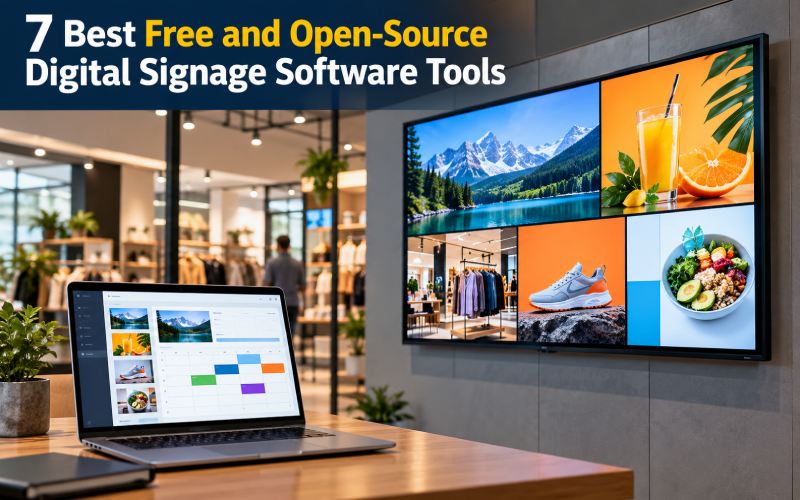
Digital displays have become an effective way for businesses, schools, restaurants, healthcare facilities, and public organizations to communicate with their audiences. From restaurant menus and promotional offers to announcements and information screens, digital signage makes it possible to update displayed content without repeatedly printing posters.
Digital signage software helps users create, organize, schedule, and display content across one or more screens. Depending on the platform, it can support images, videos, announcements, playlists, and remotely managed displays.
For organizations looking to reduce software expenses, free and open-source digital signage software can provide a flexible alternative to subscription-based platforms. However, some solutions require technical setup, compatible hardware, or ongoing maintenance.
This guide compares seven digital signage projects and tools, explains their main capabilities, and helps you choose the right solution for your organization.
What Is Digital Signage Software?
Digital signage software is used to manage content displayed on digital screens, including televisions, monitors, information boards, and commercial displays.
Many systems use a content management system (CMS) to organize media and a player application to display that content on connected hardware.
Depending on the platform, common features include:
- Content creation and media uploads
- Image and video playback
- Playlist management
- Content scheduling
- Remote screen management
- Multiple-display support
- Layout and screen-zone configuration
- Device monitoring and diagnostics
- Offline playback
- Reporting and integrations
For example, a restaurant can schedule breakfast and dinner menus for different times of day. A school can display announcements, event information, and emergency notices. A retail store can update promotional content across several screens.
The exact capabilities depend on the software, player, hardware, and deployment configuration.
What Is Free and Open-Source Digital Signage Software?
Free digital signage software and open-source digital signage software are not necessarily the same.
Free digital signage software allows users to access some or all features without paying a software fee. It may impose limits on the number of screens, storage, scheduling, or available features.
Open-source digital signage software makes its source code available under a license that defines how the software can be used, modified, and redistributed.
Open-source software can offer greater control and customization, but businesses may need to provide their own hosting, hardware, installation, maintenance, and technical support.
Before choosing a solution, check its current license and determine whether both the content management system and the display player are open source. Some platforms use different licensing arrangements for different components.
7 Best Free and Open-Source Digital Signage Software Tools
1. Xibo
Xibo is a digital signage platform designed to help organizations manage content and distribute it across connected displays. Its system includes a content management environment and player options, although the licensing and availability of individual players can vary by platform.
It is worth considering for businesses and organizations that need centralized control over multiple screens.
Key features:
- Centralized content management
- Media library and playlist management
- Content scheduling
- Layout design and screen zones
- Remote display management
- Support for multiple display environments
- Monitoring and diagnostic capabilities
Best for: Businesses, educational institutions, retail stores, and organizations managing multiple digital displays.
Advantages:
- Provides a structured approach to managing screen content.
- Supports scheduled content distribution.
- Offers customization opportunities through its open-source components.
- Can support larger deployments when configured appropriately.
Limitations:
- Installation and server management may require technical knowledge.
- Player availability, features, and licensing can differ by operating system.
- Businesses must review the license for each component they intend to use.
Why choose Xibo?
Xibo is a strong candidate if you need centralized digital signage management and want control over your deployment. Before implementation, check the current documentation for server requirements and the licensing of the player for your chosen hardware.
2. Anthias
Anthias is an open-source digital signage project formerly known as Screenly OSE. It is designed to turn compatible hardware, including Raspberry Pi devices, into digital signage players.
The project is particularly useful for people who want to display media on a screen without depending entirely on a commercial cloud signage subscription.
Key features:
- Web-based content management
- Image and video playback
- Content scheduling
- Displaying web-based content
- Local digital signage management
- Support for compatible hardware configurations
Best for: Small businesses, hobbyists, schools, and organizations interested in self-hosted signage using compatible devices.
Advantages:
- Provides an open-source approach to digital signage playback.
- Can be useful for projects with limited budgets.
- Offers control over the player environment.
- May suit installations where a compact computer is connected directly to a display.
Limitations:
- Hardware compatibility and installation requirements should be checked.
- Users may need to configure and maintain the device themselves.
- A multi-screen deployment may require additional planning and administration.
Why choose Anthias?
Consider Anthias if you want to turn a compatible Raspberry Pi or supported computer into a signage player. It is especially relevant for simple displays that do not need an extensive enterprise management system.
3. Concerto
Concerto is an open-source digital signage project developed for managing and displaying announcements and other content on digital screens. It is particularly relevant to organizations that want a self-managed signage system.
Depending on the current version and deployment, it can be useful for sharing scheduled content across displays.
Key features to investigate:
- Web-based content management
- Content scheduling
- Multiple-screen publishing
- Image and media display
- Content organization
- Administrative controls
Best for: Educational institutions, community organizations, offices, and small deployments that need centrally managed announcements.
Advantages:
- Open-source licensing allows customization within the license terms.
- Can provide a central place to manage display content.
- May suit information boards and announcement screens.
- Can be adapted to the needs of a supported deployment.
Limitations:
- Check the current release status and installation documentation.
- Setup may require server or container-management knowledge.
- Verify that the current player supports your intended devices and media formats.
Why choose Concerto?
Concerto may be worth exploring when your main goal is to display announcements, notices, and scheduled information. Confirm the project’s current stability and hardware requirements before deploying it across an organization.
4. GarlicSignage
GarlicSignage is an open-source digital signage project designed around signage management and playback. It is an option to investigate for users who want a customizable platform rather than a fully managed commercial service.
Because the project and its components may evolve, review the current repository and documentation before using it for a production deployment.
Key features to investigate:
- Content management
- Media scheduling
- Screen and player organization
- Remote content updates
- Display playback
- Customization through supported components
Best for: Technical teams and organizations interested in experimenting with open-source signage infrastructure.
Advantages:
- Provides an open-source alternative to proprietary signage platforms.
- May offer flexibility for customized deployments.
- Can be evaluated against specific hardware and operational needs.
Limitations:
- Confirm current release maturity and maintenance activity.
- Documentation and available integrations may differ from established platforms.
- Production use requires testing, monitoring, and a maintenance plan.
Why choose GarlicSignage?
Consider GarlicSignage if your organization has the technical resources to evaluate an evolving open-source project. Test the installation, playback reliability, and content-management workflow before relying on it for business-critical displays.
5. Garlic Player
Garlic Player is a digital signage player project associated with the Garlic ecosystem. A player is responsible for rendering and displaying content on the connected screen, while a separate management component may be needed to organize and distribute content.
This distinction matters because a player alone may not provide everything needed to operate a complete signage network.
Key capabilities to investigate:
- Media playback
- Displaying scheduled content
- Compatibility with supported devices
- Remote-control capabilities when available
- Integration with a compatible management system
Best for: Developers and technically capable users who want to evaluate an open-source signage player.
Advantages:
- Can be considered for customized signage playback.
- Offers an open-source project to investigate.
- May fit deployments that need a player tailored to a particular environment.
Limitations:
- Verify current platform support and release stability.
- A complete content management system may be required separately.
- Confirm which scheduling, monitoring, and remote-management features are included.
Why choose Garlic Player?
Garlic Player is worth investigating when you need a customizable playback component. If you want a ready-to-use solution for several screens, evaluate the player together with its compatible management system.
6. LibreSignage
LibreSignage is an open-source digital signage project that has been associated with browser-based content management and playback. It may be relevant for users researching self-hosted signage systems and their underlying technology.
However, project maintenance is a critical consideration. Older open-source projects can remain available even when active development has slowed or stopped.
Key features to investigate:
- Content management
- Browser-based signage playback
- Media organization
- Display configuration
- Self-hosted deployment
Best for: Developers, researchers, and technically experienced users evaluating open-source signage projects.
Advantages:
- Provides a project to examine for self-managed signage.
- May be useful for learning about signage CMS architecture.
- Can help technical teams compare different open-source approaches.
Limitations:
- Verify whether the project is actively maintained before using it.
- Older software may have compatibility or security issues.
- It may require development work to meet current production requirements.
Why choose LibreSignage?
Treat LibreSignage as a project to evaluate rather than automatically assuming it is a reliable, actively maintained production choice. For a new deployment, prioritize current releases, security updates, and documented hardware support.
7. pisignage-server
pisignage-server is the server component associated with the piSignage digital signage ecosystem. It can be relevant to developers and organizations interested in managing signage devices through a self-hosted server.
An important distinction is that an open-source server component does not automatically make every associated player or commercial service open source.
Key features to investigate:
- Server-side signage management
- Device and content administration
- Content distribution
- Integration with compatible players
- Self-hosted deployment options
Best for: Technical users evaluating a self-hosted server for a compatible digital signage setup.
Advantages:
- Offers an open-source server component to investigate.
- May provide more control over server-side operations.
- Can be relevant for customized deployments and integrations.
Limitations:
- Check current documentation for installation and compatibility.
- Confirm whether the required player is open source or separately licensed.
- A server component alone may not provide a complete ready-to-use signage solution.
Why choose pisignage-server?
Consider it if you have the technical skills to manage a server and understand the licensing of its associated components. Confirm that the server and player combination meets your needs before selecting it.
Digital Signage Software Comparison Table
| Software | Main use | Open-source consideration | Best suited for |
|---|---|---|---|
| Xibo | Centralized signage management | Review CMS and player licenses separately | Multi-screen deployments |
| Anthias | Local signage playback | Open-source project | Raspberry Pi and compatible devices |
| Concerto | Scheduled announcements | Verify current release and license | Offices and institutions |
| GarlicSignage | Customizable signage system | Review current project components | Technical teams |
| Garlic Player | Signage playback | Check supported components and license | Developers and custom deployments |
| LibreSignage | Self-hosted signage project | Check maintenance status | Technical evaluation |
| pisignage-server | Server-side management | Player licensing may differ | Self-hosted deployments |
Important: These projects do not all provide the same level of functionality or maintenance. Some are complete signage platforms, while others are players or server components. Verify the current project status, license, and hardware compatibility before choosing one.
Essential Features to Look for in Digital Signage Software
1. Content Scheduling
Scheduling allows businesses to determine when specific content appears on a display.
For example, a restaurant can show a breakfast menu in the morning and switch to a lunch menu later in the day. A school can schedule announcements around events and opening hours.
Check whether the software supports recurring schedules, date-specific campaigns, and time-zone settings if your screens operate in different locations.
2. Media Format Support
Digital signage may involve images, videos, web pages, slides, and other media.
Check the supported file formats and playback requirements before choosing a platform. A system that cannot reliably play your existing media may require extra conversion work.
3. Remote Screen Management
Remote management allows administrators to update content without visiting every screen.
This feature is particularly useful for retail chains, restaurants, campuses, and organizations with displays in several locations.
4. Multiple-Screen Support
If you operate several screens, look for a system that can group displays, assign content to specific locations, and manage playlists centrally.
Check whether these functions are included in the open-source version or require separate commercial components.
5. Offline Playback
Internet access can be interrupted. Offline playback allows a compatible player to continue showing previously downloaded content when the network is unavailable.
Confirm whether the system stores media locally and how it updates content after connectivity returns.
6. Security and Updates
Digital signage devices may be connected to business networks and display information in public spaces.
Look for supported updates, account permissions, secure connections, and clear documentation. For self-hosted installations, plan for backups, access control, and ongoing security maintenance.
Benefits of Free and Open-Source Digital Signage Software
Lower Software Licensing Costs
Open-source signage software can reduce licensing expenses, making it attractive to small businesses, schools, nonprofits, and community organizations.
However, the total cost may still include hardware, installation, hosting, maintenance, and support.
Greater Customization
Depending on the license, open-source software may allow organizations to adapt the source code or integrate the system with other applications.
This can be useful when standard commercial features do not match a specific workflow.
Control Over Deployment
Self-hosted software can give organizations more control over their infrastructure, data handling, and update schedules.
That flexibility also means the organization is responsible for maintaining the system properly.
Reusable Content
Digital signage makes it possible to update announcements, menus, promotions, and information without repeatedly printing physical materials.
Scheduled playlists can help teams organize content and reduce manual updates.
Flexible Hardware Choices
Some projects support compact computers, Raspberry Pi devices, or standard PCs. Using compatible hardware that an organization already owns may reduce initial expenses.
Always check the hardware requirements and performance limitations before installing the software.
How to Choose the Right Digital Signage Software
Step 1: Define Your Use Case
Determine what your screens need to display.
- Retail stores: Promotions, product information, and campaign announcements.
- Restaurants: Menus, offers, and daily specials.
- Schools: Notices, schedules, and event announcements.
- Offices: Internal communications and meeting information.
- Public spaces: Directions, notices, and informational displays.
Your use case determines which features are essential.
Step 2: Decide Between Self-Hosting and Cloud Management
Self-hosting can provide more control, but it requires server administration and maintenance.
Cloud-managed services can simplify setup, but they may involve subscription fees, usage limits, or dependence on a provider.
If you choose an open-source project, check whether the version you need supports your preferred deployment method.
Step 3: Check Hardware Compatibility
Make sure the software supports your display devices and player hardware. Check processor requirements, operating system compatibility, network requirements, and media playback capabilities.
Test the software on one device before installing it across multiple locations.
Step 4: Review Licensing
Read the license for each component. The CMS, player, and associated services may have different terms.
Do not assume that a free download means the complete system is open source or that every commercial use is covered by the same license.
Step 5: Test Content Updates
Create a small playlist with images, a video, and scheduled content. Confirm that the player displays everything correctly and receives updates reliably.
For multiple displays, test whether the system can assign different content to individual screens or groups.
Step 6: Calculate the Total Cost
Include hardware, installation, hosting, network equipment, maintenance, and technical support in your budget.
A software product with no license fee may still be expensive to operate if it requires significant administration or custom development.
Frequently Asked Questions
What is the best free and open-source digital signage software?
Xibo is worth considering for centralized signage management across multiple screens. Anthias is a strong option to investigate for local playback on compatible hardware. The best choice depends on your display requirements, technical resources, and licensing needs.
Is digital signage software completely free?
Not always. Open-source software may be available without a license fee, but hardware, installation, hosting, maintenance, and support can still cost money. Proprietary platforms may offer free plans with restrictions.
Can I use digital signage software with a Raspberry Pi?
Yes. Anthias is designed for compatible hardware configurations that include Raspberry Pi devices. Check the project’s current hardware and installation documentation before selecting a device.
Can digital signage software manage multiple screens?
Many platforms support multiple displays, but the available capabilities vary. Check whether the system supports centralized scheduling, screen grouping, remote updates, and the required number of players.
Does open-source digital signage software work without the internet?
Some systems support offline playback after content has been downloaded to the player. However, remote updates and centralized management may require network connectivity. Check the capabilities of the specific player and deployment.
Is Rise Vision open source?
Do not assume that Rise Vision is open source simply because it appears in lists of free digital signage products. Check its current licensing and pricing information. A free plan and an open-source license are different things.
What hardware do I need for digital signage?
Hardware requirements depend on the software and the content being displayed. A basic setup may need a compatible computer or media player, a display, and a network connection. High-resolution video or complex layouts may require more capable hardware.
Conclusion
Free and open-source digital signage software can help businesses and organizations display announcements, promotional content, menus, and other information while maintaining greater control over their technology.
Xibo is worth considering for centralized management, while Anthias is relevant for local playback on compatible hardware. Concerto and other open-source projects may suit specific deployments, but their current maintenance, licensing, and feature support should be checked carefully.
Before selecting a platform, define your requirements, verify hardware compatibility, review the licenses for the CMS and player, and test content playback. Choosing a suitable solution can make screen management more organized without committing immediately to an expensive subscription.

You may also like ...