8 Best Free and Open-Source Inventory Management Software Systems
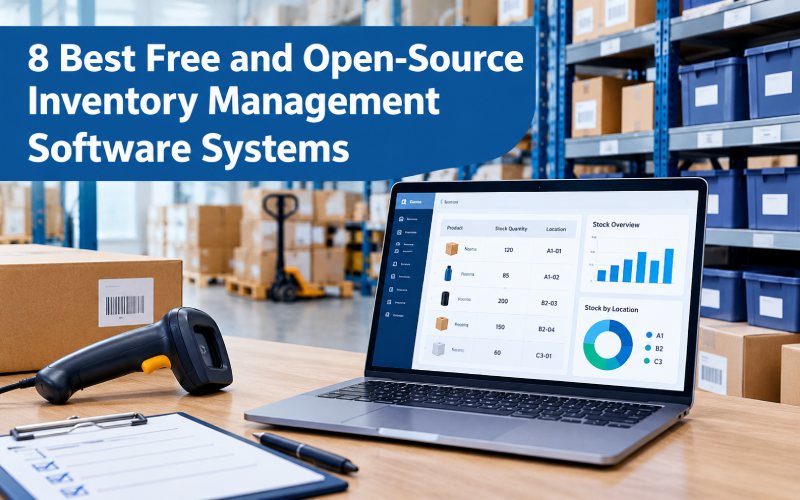
Managing inventory manually can become difficult as a business grows. Products may be stored in different locations, supplier deliveries can change, and sales records may not match the stock available. These problems can lead to overselling, unnecessary purchases, delayed orders, and higher storage costs.
Free and open-source inventory management software can help businesses organize stock, record product movements, manage suppliers, and improve visibility across their operations. Depending on the system, users may also get barcode support, purchase management, reporting, and integration with accounting or sales tools.
However, not every free inventory tool is open source, and not every open-source platform is completely free to operate. Hosting, installation, customization, backups, and technical support can still cost money.
This guide compares eight inventory management software options and explains their main features, potential limitations, and suitability for different business needs.
What Is Inventory Management Software?
Inventory management software helps businesses track the products, materials, parts, and supplies they purchase, store, use, and sell. It provides a more organized way to monitor stock levels and record inventory movements.
Depending on the software, businesses may be able to:
- Track current stock quantities and product locations.
- Record purchases, sales, receipts, and stock adjustments.
- Manage suppliers and purchase orders.
- Set alerts for low stock.
- Use barcodes or other product identifiers.
- Track parts, serial numbers, or batches.
- Generate inventory and operational reports.
- Coordinate stock across multiple warehouses or locations.
For example, an online store selling 200 different products needs to know which items are available before accepting new orders. An inventory system can help keep stock records updated as orders are processed and new products arrive.
Free vs. Open-Source Inventory Software
Before comparing tools, understand the difference between these two terms.
Free inventory software may offer a free plan or trial. The provider controls the source code, and some features or usage limits may require payment.
Open-source inventory software makes its source code available under a license that permits specified uses, modification, and redistribution. The exact permissions depend on the license.
An open-source system may be free to download, but a business could still pay for a server, installation, development, hosting, or support.
If you want to customize workflows or host your own system, review the software’s license and technical requirements before adopting it.
8 Best Free and Open-Source Inventory Management Software Systems
1. InvenTree
InvenTree is an open-source inventory management system focused on parts, stock control, suppliers, and manufacturing-related workflows. It is particularly useful for businesses that need to organize components and understand how individual parts are used in finished products.
Key features:
- Parts and product organization
- Stock tracking across locations
- Supplier management
- Bill of Materials (BOM) support
- Build and assembly workflows
- Reporting, APIs, and extensibility
Best for: Small manufacturers, electronics workshops, engineering teams, and businesses managing large numbers of components.
Potential limitation: Businesses primarily focused on retail checkout, advanced accounting, or complex ecommerce operations may need additional software or integrations.
2. ERPNext
ERPNext is an open-source enterprise resource planning system with inventory management as part of a broader business platform. Along with stock control, it can connect inventory workflows with purchasing, sales, accounting, and manufacturing.
Key features:
- Stock entries and warehouse management
- Item and supplier records
- Purchase and sales workflows
- Serial and batch tracking
- Manufacturing and material planning
- Reporting across business operations
Best for: Businesses looking to connect inventory with purchasing, sales, accounting, or production.
Potential limitation: Setting up a complete ERP system can require more planning and training than installing a simple stock tracker. Self-hosting also requires technical administration.
3. Odoo Community
Odoo offers a modular business software ecosystem, and its Community edition provides an open-source option for businesses exploring integrated business applications. Available inventory features and dependencies should be checked against the specific version and edition.
Key features:
- Product and stock management
- Warehouse and stock movement workflows
- Modular business applications
- Opportunities for customization
- Integration possibilities with other business processes
Best for: Small and growing businesses that want inventory management to fit into a broader business system.
Potential limitation: Some advanced features or integrations may depend on the edition, apps, or deployment method. Confirm that the Community edition meets your needs before implementation.
4. Dolibarr ERP & CRM
Dolibarr is an open-source business management platform that combines several business functions. Depending on the configuration, it can help organizations manage products, stock, suppliers, orders, and other administrative tasks.
Key features:
- Product and service records
- Stock management
- Supplier and customer information
- Sales and purchasing workflows
- Business reporting
- Modular configuration
Best for: Small businesses and organizations looking for an integrated business management platform.
Potential limitation: Businesses with complex warehouse operations or specialized manufacturing needs may require additional modules or customization.
5. OpenBoxes
OpenBoxes is an open-source inventory and supply chain management system designed for stock and logistics workflows. It can be useful for organizations that need to manage supplies moving between warehouses, facilities, or distribution points.
Key features:
- Inventory and stock movement tracking
- Warehouse and location management
- Supply chain workflows
- Requisition and order processes
- Stock visibility across supported operations
Best for: Organizations managing supplies, distribution, and inventory across multiple locations.
Potential limitation: It may require technical setup and workflow configuration. Businesses should evaluate its current maintenance, documentation, and suitability for their specific industry before deployment.
6. PartKeepr
PartKeepr is a parts inventory management application associated with organizing electronic components and other small parts. It may be relevant to workshops and hobbyists who need structured component records.
Potential features and uses:
- Component cataloging
- Part quantities and storage organization
- Supplier and component information
- Searching and organizing parts
Best for: Electronics hobbyists, repair workshops, and small component libraries.
Potential limitation: Check its current maintenance status, compatibility, security updates, and community support before using it for business-critical operations. A project that is no longer actively maintained may create long-term risks.
7. Snipe-IT
Snipe-IT is an open-source IT asset management platform. It is different from a traditional retail inventory system because it focuses on tracking assets such as laptops, equipment, accessories, and assigned devices rather than managing sales stock.
Key features:
- Asset records and identification
- Check-in and check-out workflows
- Assignment of equipment to users
- Asset history and reporting
- License and accessory tracking
Best for: IT departments, schools, offices, and organizations that need to track equipment and assigned assets.
Potential limitation: It is not a direct substitute for a retail stock system with sales orders, purchasing, and ecommerce fulfillment. Confirm that its asset-focused workflow matches your requirements.
8. Inventory Script
Inventory Script is presented by GoodFirms as an inventory management option for businesses looking to manage stock and related operations. Before selecting it as an open-source solution, verify its current source-code availability, license, documentation, and deployment requirements.
Features to investigate:
- Stock and product tracking
- Supplier and customer records
- Order and billing workflows
- Reporting and stock alerts
- Barcode or external system integrations, if supported
Best for: Businesses comparing inventory tools that combine stock control with related operational functions.
Potential limitation: Do not assume that a product is genuinely open source merely because it is described as free. Review its license and official project documentation before installing it or modifying its code.
Inventory Software Comparison Table
| Software | Main use | Open-source status to check |
|---|---|---|
| InvenTree | Parts and manufacturing inventory | Open-source project |
| ERPNext | Inventory and broader ERP workflows | Open-source project |
| Odoo Community | Modular business and stock management | Community edition is open source |
| Dolibarr | Business management and stock | Open-source project |
| OpenBoxes | Supply chain and warehouse operations | Open-source project |
| PartKeepr | Component inventory | Verify current maintenance and license |
| Snipe-IT | IT assets and equipment | Open-source project |
| Inventory Script | General inventory workflows | Verify official license and source code |
Features, licensing, maintenance, and deployment options can change. Check the official project documentation and current license before making a decision.
Benefits of Free and Open-Source Inventory Management Software
Lower Software Licensing Costs
Open-source software can reduce or eliminate recurring license fees for the core application. This can be helpful for small businesses that need basic stock management but have limited budgets.
However, include hosting, setup, maintenance, and support costs when calculating the total cost of ownership.
Customization and Flexibility
Depending on the license and architecture, open-source software can allow developers to adjust workflows, add fields, or integrate the system with other applications.
For example, a manufacturer may customize a parts workflow to record component quantities, supplier details, and bill-of-material relationships.
Improved Stock Visibility
A central inventory system can make it easier to identify what is available, where it is stored, and when stock needs replenishment. Accurate records can reduce mistakes caused by separate spreadsheets or disconnected teams.
More Organized Purchasing
When stock levels and purchasing records are connected, businesses can make more informed decisions about when and how much to reorder. Forecasting still depends on reliable data and appropriate business rules.
Better Asset and Parts Tracking
Some systems are designed for individual assets or component-level inventory rather than products intended for sale. Choosing a tool built for your inventory type can improve recordkeeping and accountability.
Limitations to Consider Before Choosing Open-Source Software
Open-source software can be a strong option, but it is not automatically the best fit for every business.
- Technical setup: Self-hosted systems may require installation, server configuration, and database administration.
- Maintenance: Someone must manage updates, backups, security, and compatibility.
- Support: Community help may not provide the response times required for critical operations.
- Integrations: Ecommerce, accounting, barcode scanners, and shipping systems may need extra configuration.
- Migration: Moving data from spreadsheets or an existing inventory platform requires careful cleaning and testing.
- Project health: Check recent releases, documentation, known security issues, and community activity.
Businesses that need guaranteed support or minimal technical maintenance may prefer a managed service, even if it carries a subscription fee.
How to Choose the Right Inventory Management System
1. Define Your Inventory Type
First, decide what you need to track. Retail products, raw materials, electronic components, medical supplies, and company laptops have different requirements.
A tool designed for IT assets, for example, may not support the purchase orders and fulfillment workflows required by an online store.
2. List Essential Features
Write down the features your business cannot operate without. Common requirements include:
- Multiple warehouse locations
- Purchase orders and supplier records
- Barcode scanning
- Serial or batch tracking
- Low-stock alerts
- Product variants and units of measure
- Reporting and inventory valuation
- Ecommerce or accounting integrations
Use this list to eliminate unsuitable tools before investing time in installation.
3. Check the License and Total Cost
Read the current software license and confirm what it permits. Then estimate the cost of hosting, implementation, data migration, training, and ongoing maintenance.
A system with no license fee may still cost more to operate than a simple managed inventory service.
4. Test With Realistic Data
Before moving all your records, test the system using a small sample of products, suppliers, purchases, and stock adjustments.
Check whether the software records inventory changes accurately and whether staff can complete routine tasks without unnecessary complexity.
5. Plan Security and Backups
Inventory data may include supplier information, product costs, purchasing history, and commercially sensitive records. Set appropriate access permissions, maintain backups, install security updates, and establish a recovery process.
Frequently Asked Questions
What is the best free open-source inventory management software?
The best option depends on your needs. InvenTree is worth evaluating for parts and manufacturing inventory, ERPNext for integrated business operations, and Dolibarr for broader business management. Test the software against your actual workflows before deciding.
Is free inventory software always open source?
No. A free plan can be proprietary and may limit the number of products, orders, users, or features. Open-source software is distributed under a license that specifies how its source code can be used and modified.
Can small businesses use open-source inventory software?
Yes. Small businesses can use open-source systems to organize stock and purchasing. The best choice depends on inventory complexity, technical skills, integration needs, and the resources available for maintenance.
Does open-source inventory software require hosting?
Not always. Deployment options vary by project. Some systems can be installed on a local computer or server, while others can be hosted in the cloud. Cloud hosting may involve additional charges even when the software itself is free.
Can inventory management software support multiple warehouses?
Some systems support multiple warehouses or storage locations, but the exact functionality varies. Confirm how the software handles stock transfers, permissions, reporting, and location-specific quantities.
What is the difference between inventory management and asset management?
Inventory management commonly tracks stock that is purchased, stored, consumed, or sold. Asset management focuses on items such as computers and equipment that are assigned to people or locations and tracked throughout their useful life. Some platforms overlap, but their primary workflows differ.
Conclusion
Free and open-source inventory management software can help businesses improve stock visibility, organize purchasing, and reduce manual recordkeeping. InvenTree, ERPNext, Odoo Community, Dolibarr, and OpenBoxes are worth evaluating for different inventory and operational needs, while Snipe-IT is more suitable for tracking IT assets.
The best solution is not necessarily the one with the most features. It is the one that supports your inventory workflows, fits your technical resources, and can be maintained securely over time. Compare licensing, integrations, support, and deployment costs before making your final choice.

You may also like ...