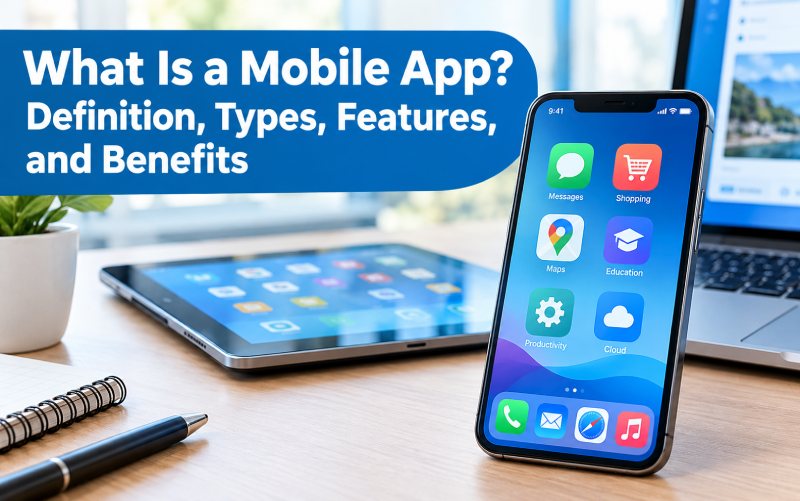
What Is a Mobile App? Definition, Types, Features, and Benefits
Mobile apps have become an important part of everyday life. People use them to communicate with friends, shop online, manage money, watch videos, book travel, learn new skills, and complete business tasks. With a smartphone or tablet, users can access many services with just a few taps.
But what exactly is a mobile app, how does it work, and what types are available?
A mobile app, short for mobile application, is a software program designed to run on mobile devices such as smartphones and tablets. Depending on its purpose, an app may work directly on a device, connect to online services, or combine both approaches.
This guide explains mobile apps, their main types, important features, advantages, limitations, and the differences between mobile apps and websites.
What Is a Mobile App?
A mobile app is a software application developed for mobile devices. It allows users to perform specific activities through a mobile-friendly interface.
For example, a banking app lets customers review transactions and manage accounts, while a navigation app helps users find locations and plan routes. Shopping apps allow customers to browse products, place orders, and track deliveries.
Mobile apps can be installed from official app stores or distributed through other supported methods. Some are designed for Android, some for iOS, and others work across multiple platforms.
Depending on the app, users may need an internet connection to access all its features. Some apps also offer offline functions, such as viewing previously downloaded files or editing locally stored content.
How Does a Mobile App Work?
Mobile apps work through a combination of software, device capabilities, and, in many cases, online services.
A typical mobile app workflow includes several components:
1. User Interface
The user interface contains the screens, menus, buttons, forms, and other elements people interact with. A clear interface helps users complete tasks without unnecessary confusion.
2. Application Logic
The app’s programming determines what happens when a user performs an action. For example, selecting a product may open its details, while tapping a payment button may begin a checkout process.
3. Data Storage
Apps may store information on the device, on remote servers, or in both places. A notes app might keep information locally, while a social media app typically communicates with online services to retrieve posts and account information.
4. APIs and Online Services
Many mobile apps connect to servers through application programming interfaces (APIs). These connections allow apps to retrieve information, synchronize records, process requests, or communicate with other systems.
5. Device Features
Depending on the permissions granted and the operating system, an app may use features such as the camera, microphone, GPS, notifications, or biometric authentication.
Not every app needs all these components. A simple offline calculator, for example, can perform its main function without an online account or remote server.
What Are the Main Types of Mobile Apps?
Mobile apps can be grouped according to how they are developed and how they run.
1. Native Mobile Apps
Native apps are built specifically for an operating system, such as Android or iOS. Developers use platform-specific tools and programming technologies to create applications that work within that environment.
Examples of use:
- Banking and financial services
- Mobile games
- Camera and photo-editing tools
- Applications that use device hardware extensively
Advantages:
- Access to supported operating-system features
- Potential for strong performance
- Interfaces that follow platform conventions
Limitations:
- Supporting multiple operating systems may require separate development work.
- Development and maintenance can become more expensive when several platforms are involved.
2. Web Apps
Web apps are accessed through a web browser rather than being installed as conventional native applications. They are designed to provide interactive experiences through web technologies.
Examples include browser-based productivity tools, online dashboards, and webmail services.
Advantages:
- Users can access them through supported browsers.
- Updates can often be deployed centrally.
- One web application can serve users across different devices.
Limitations:
- Some device features may be less accessible than in native apps.
- The experience can depend on browser support and internet connectivity.
- Performance may vary for demanding tasks.
3. Hybrid Mobile Apps
Hybrid apps combine web technologies with a native application container. They can provide a mobile app experience while allowing developers to reuse parts of their code across platforms.
Advantages:
- Code reuse can reduce duplicated development work.
- A single development team may support several platforms.
- They can be suitable for many business applications.
Limitations:
- Performance and device integration depend on the technology and implementation.
- Some complex features may require platform-specific code.
4. Cross-Platform Apps
Cross-platform development frameworks allow developers to build applications for multiple operating systems from a shared codebase, although some platform-specific work may still be necessary.
Technologies such as Flutter and React Native are examples of cross-platform development approaches.
Advantages:
- Shared code can simplify maintenance.
- Businesses may reduce duplicated development effort.
- Teams can deliver features across supported platforms more consistently.
Limitations:
- Developers must test the app on different devices and operating-system versions.
- Some advanced capabilities may need platform-specific implementation.
5. Progressive Web Apps
Progressive web apps, or PWAs, are web applications designed to provide an app-like experience through compatible browsers. Depending on browser and operating-system support, they may offer installation, offline capabilities, or notifications.
Advantages:
- Users can access the application through a browser.
- Distribution may be simpler than conventional app-store installation.
- Updates can often be deployed without users installing a new store version.
Limitations:
- Available features vary by platform and browser.
- Some native capabilities may be unavailable or restricted.
- App-store discovery and distribution work differently from conventional mobile apps.
Mobile App Types at a Glance
| App type | How it works | Best suited for |
|---|---|---|
| Native app | Built for a specific operating system | Performance-sensitive and device-integrated apps |
| Web app | Runs through a web browser | Online services and browser-based tools |
| Hybrid app | Combines web technologies with a native container | Business apps and shared development workflows |
| Cross-platform app | Shares much of its code across platforms | Products targeting Android and iOS |
| Progressive web app | Provides an app-like experience through the web | Services that prioritize browser access |
The right approach depends on performance requirements, budget, target users, security needs, and the device features the application must support.
Common Features of Mobile Apps
Mobile app features vary depending on the application’s purpose. However, many modern apps include several common capabilities.
User Registration and Login
Some apps let users create accounts, sign in, manage profiles, and recover access. Apps that handle sensitive information should use appropriate authentication and account-protection measures.
Push Notifications
Notifications can inform users about messages, order updates, reminders, or other important events. Apps should make notification settings clear and avoid sending unnecessary alerts.
Search and Filters
Search tools help users locate products, articles, contacts, or other information. Filters can make large collections easier to navigate.
Payments and Transactions
Shopping, banking, and service apps may support payment processing or account transactions. These features require careful attention to security, privacy, and applicable regulations.
Location Services
Navigation, delivery, transport, and travel apps may use location information to provide relevant services. Access should be requested only when needed, with clear explanations of how location data is used.
Camera and Media Access
Some apps use the camera to scan QR codes, capture photos, record videos, or upload documents. Users should review permissions and grant only the access required for the intended task.
Offline Access
Certain apps allow users to access saved content or complete selected tasks without an internet connection. The available offline features depend on how the app stores and synchronizes data.
Personalization
Apps may let users customize preferences, display settings, language, notifications, or content recommendations. Personalization should improve usability without collecting unnecessary personal information.
Benefits of Mobile Apps
Convenience and Accessibility
Mobile apps provide access to services from a smartphone or tablet. Users can complete everyday tasks without needing to visit a physical location or repeatedly open a desktop website.
Faster Access to Common Tasks
A well-designed app can place frequently used functions directly on the home screen or within a simple navigation menu. This can make routine activities easier to complete.
Improved Customer Engagement
Businesses can use mobile apps to provide account information, loyalty programs, product updates, customer support, and personalized services. The value depends on whether the app solves a real customer problem.
Access to Device Capabilities
With appropriate permissions, apps can use supported device functions such as the camera, GPS, microphone, and biometric authentication. These capabilities can make certain experiences more useful than a basic website.
Better Service Delivery
Businesses can provide order tracking, appointment reminders, account updates, and self-service options through mobile apps. These tools may reduce friction for customers and help teams manage routine requests.
Limitations and Challenges of Mobile Apps
Despite their benefits, mobile apps can also create challenges.
Development costs: Building and maintaining an app requires time, expertise, testing, and ongoing updates.
Device compatibility: An app may behave differently across devices, screen sizes, and operating-system versions.
Security and privacy: Apps that process personal or financial information need appropriate data protection, access controls, and secure development practices.
Maintenance: Developers must fix bugs, address compatibility issues, and update dependencies over time.
Storage and permissions: Some apps use substantial device storage or request access to features that users may not want to share.
User adoption: Developing an app does not guarantee downloads or regular use. Businesses need a clear purpose and a reliable user experience.
Mobile App vs. Mobile Website
A mobile app and a mobile website can both provide services on a smartphone, but they operate differently.
| Feature | Mobile app | Mobile website |
|---|---|---|
| Access | Usually installed or added through a supported method | Opened through a web browser |
| Updates | Often updated through an app distribution mechanism | Website changes can be deployed centrally |
| Device integration | Can access supported device features with permission | Access depends on browser and platform capabilities |
| Offline use | Possible when designed to support it | Limited or possible with suitable web technologies |
| Distribution | May use app stores or other supported channels | Can be accessed through a URL |
| Development | Depends on native, hybrid, or cross-platform approach | Built using web technologies |
| Best use | Frequent tasks or device-integrated experiences | Broad access to information and online services |
Neither option is always better. A mobile website may be sufficient for a business that mainly shares information, while an app may make sense when users need frequent access, personalized tools, or deeper device integration.
Examples of Mobile Apps in Everyday Life
Mobile apps support a wide range of activities.
Communication Apps
Messaging and video-calling apps let users exchange messages, share media, and communicate in real time.
Banking and Finance Apps
Financial apps may allow customers to review balances, transfer funds, receive transaction alerts, and manage selected account services.
Shopping Apps
Retail apps let customers browse product catalogs, compare items, place orders, and check delivery updates.
Education Apps
Learning apps can provide digital lessons, quizzes, recorded lectures, progress tracking, and communication between students and instructors.
Health and Fitness Apps
Depending on their purpose, health and fitness apps may record activity, support exercise routines, track selected wellness information, or help users manage appointments.
Travel and Navigation Apps
Travel apps help users plan journeys, review bookings, discover locations, and navigate routes.
Business and Productivity Apps
Businesses use apps for task management, document access, team communication, customer relationships, and workflow coordination.
How to Choose the Right Mobile App
If you are selecting an app for personal or business use, consider the following factors.
1. Identify Your Main Goal
Determine what you need the app to do. An app designed for messaging may not be suitable for project management, while a simple web tool may be enough for occasional tasks.
2. Check Device Compatibility
Confirm that the app supports your operating system and device. Review its requirements before installing it, particularly if your device uses an older operating-system version.
3. Review Privacy and Permissions
Read the app’s privacy information and examine the permissions it requests. Be cautious if a simple app asks for access that does not appear necessary for its core function.
4. Evaluate Usability
Look for clear navigation, readable text, reliable performance, and accessible controls. If the app is difficult to use, its additional features may not provide much value.
5. Understand Costs
Some apps are free, while others require subscriptions, in-app purchases, or one-time payments. Review recurring charges and paid features before committing.
6. Check Updates and Support
Recent updates, useful documentation, and responsive support can indicate that an app is being maintained. For business-critical software, also consider backup options and how problems will be handled.
Frequently Asked Questions
What is a mobile app in simple words?
A mobile app is a software program designed for smartphones or tablets. It helps users perform tasks such as messaging, shopping, navigation, learning, or managing finances.
What are the main types of mobile apps?
Common categories include native apps, web apps, hybrid apps, cross-platform apps, and progressive web apps. They differ in how they are developed, distributed, and run.
Do mobile apps need an internet connection?
Not always. Some apps require the internet for most functions, while others can work offline. The available features depend on the app’s design and whether data needs to be retrieved from online services.
What is the difference between an app and a website?
An app is software designed for a particular environment, while a website is accessed through a browser. Web apps can provide interactive features similar to installed apps, so the distinction is not always absolute.
Are mobile apps safe to use?
Many apps are safe when developed and maintained responsibly, but no app is automatically risk-free. Download apps from trusted sources, review permissions, install updates, and avoid sharing sensitive information with services you do not trust.
Can one mobile app work on both Android and iOS?
Yes. Developers can use cross-platform frameworks or other shared-code approaches to support both operating systems. The final app still needs testing and may require platform-specific adjustments.
Why do businesses develop mobile apps?
Businesses may develop apps to improve customer access, offer self-service tools, support purchases, provide notifications, or streamline workflows. A business should evaluate whether an app offers enough value compared with a mobile-friendly website.
Conclusion
A mobile app is a software application designed to help people perform tasks on smartphones and tablets. Apps support communication, shopping, banking, education, entertainment, navigation, and business operations.
Native, web, hybrid, cross-platform, and progressive web apps each offer different advantages and limitations. The best option depends on the intended users, required features, budget, security needs, and device compatibility.
Understanding how mobile apps work and what they can offer helps individuals choose useful tools and enables businesses to make better decisions when planning a digital product.

You may also like ...