7 Best Free and Open-Source POS Software Tools for Small Businesses
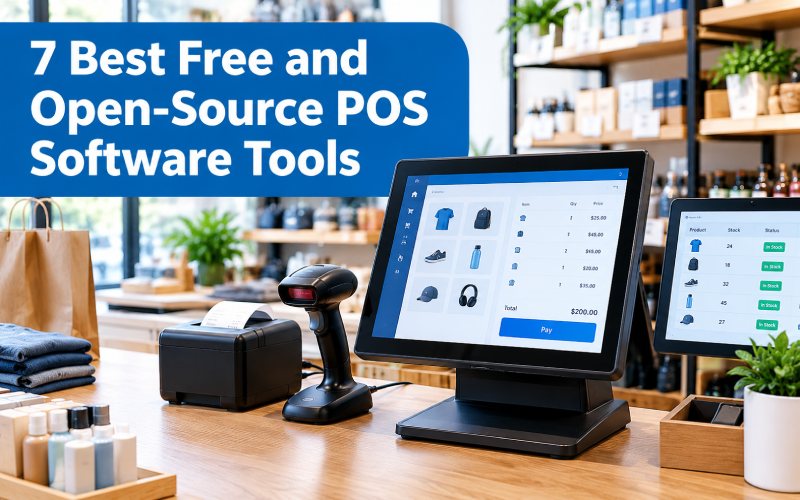
Running a retail store or restaurant involves more than selling products. Businesses must process transactions, track inventory, generate receipts, manage orders, and monitor daily sales. Handling these tasks manually can lead to long queues, inaccurate records, and unnecessary work.
Point-of-sale (POS) software helps simplify these activities by combining checkout and sales management in one system. Depending on the platform, it may also support inventory tracking, customer records, employee management, reporting, and integrations with other business tools.
Free and open-source POS software can be especially useful for startups and small businesses that want greater control over their technology costs. However, free software does not always mean open-source software, and some systems require paid services, technical setup, or additional hardware.
This guide explores seven POS software tools, their key features, advantages, limitations, and the factors to consider before choosing one.
What Is POS Software?
Point-of-sale software is a digital system used to record and manage transactions when customers purchase products or services. It can operate on a computer, tablet, or compatible mobile device, depending on the software.
A POS system typically connects checkout activities with business records. When a sale is completed, the system may generate a receipt, record the transaction, and update stock quantities.
Common POS software features include:
- Product catalogs and barcode scanning
- Sales processing and receipt generation
- Inventory and stock tracking
- Customer and employee management
- Sales reports and business analytics
- Discounts, refunds, and promotions
- Tax configuration
- Integration with payment terminals or accounting tools
The exact features depend on the software, edition, configuration, and supported hardware.
What Is Free and Open-Source POS Software?
Free POS software allows businesses to use a system without paying for the software itself or within the limits of a free plan. Open-source POS software makes its source code available under a license that defines how it can be used, modified, and redistributed.
These terms are not interchangeable. Some free POS products are proprietary, while some open-source systems offer optional paid hosting, support, or advanced services.
Before installing a POS system, check its current license, available features, maintenance activity, and total operating costs. You may still need to pay for hardware, installation, backups, payment processing, and technical support.
7 Best Free and Open-Source POS Software Tools
1. Chromis POS
Chromis POS is a point-of-sale application associated with retail and hospitality operations. It is worth evaluating for businesses that want a desktop-oriented checkout system rather than relying entirely on a cloud-based platform.
Key features to investigate:
- Product and transaction management
- Receipt printing
- Support for compatible POS hardware
- Sales records and reporting
- Retail or hospitality checkout workflows
Best for: Small retailers and hospitality businesses looking for a desktop POS option.
Advantages:
- May suit businesses that prefer a locally managed checkout environment.
- Can be worth considering when reducing recurring software fees is a priority.
Potential limitations:
- Verify the current release, supported operating systems, hardware compatibility, and available documentation.
- Check whether the features you need are included without additional charges.
2. Floreant POS
Floreant POS is a restaurant-focused POS system designed around food-service workflows. Restaurant businesses often need more than a standard retail checkout screen, including table management, order handling, and communication with kitchen staff.
Key features to investigate:
- Restaurant order management
- Table and dining-service workflows
- Receipt and bill handling
- Kitchen-related functions
- Support for compatible restaurant hardware
Best for: Restaurants and food-service businesses that need a dedicated restaurant POS workflow.
Advantages:
- Its restaurant focus can make it more relevant to food-service operations than a general stock-and-sales application.
- It may suit businesses that prefer greater control over their local software environment.
Potential limitations:
- Check the maturity and status of the exact release you intend to deploy.
- Inventory, advanced reporting, payment processing, or other capabilities may require additional configuration or paid components.
3. uniCenta oPOS
uniCenta oPOS is a POS platform used for retail and hospitality workflows. Its community edition has been associated with open-source distribution, while support and other offerings may have separate terms.
Key features:
- Product and sales management
- Receipt printing
- Inventory-related functions
- Multiple checkout-terminal workflows, depending on configuration
- Reporting and database options
Best for: Retail stores and hospitality businesses that want to evaluate a customizable POS system.
Advantages:
- Can support different types of checkout environments.
- Offers a community version for businesses interested in an open-source approach.
Potential limitations:
- Confirm which features belong to the community edition and which are part of paid offerings.
- Verify database, hardware, and operating-system compatibility before implementation.
4. Odoo POS
Odoo POS is part of the broader Odoo business software ecosystem. It can connect point-of-sale activities with other business processes, depending on the edition, installed modules, and deployment.
Key features:
- Product and sales management
- Checkout and order processing
- Inventory-related workflows
- Customer records
- Integration with other Odoo business applications
Best for: Businesses that want POS functionality connected to inventory, purchasing, and other operational workflows.
Advantages:
- An integrated business platform can reduce the need to manage disconnected systems.
- The modular structure allows businesses to evaluate related applications as their requirements grow.
Potential limitations:
- The availability of features depends on the edition and installed applications.
- Setup and configuration may require technical expertise.
- Review licensing and hosting options carefully before choosing a deployment.
5. Loyverse POS
Loyverse POS is a business-oriented POS solution with tools for sales and retail operations. It is often considered by smaller businesses seeking an accessible checkout system.
Key features to review:
- Checkout and sales records
- Product management
- Customer information and loyalty features
- Sales analytics
- Inventory-related tools, depending on the current plan
Best for: Small retailers, cafés, and businesses looking for a straightforward POS workflow.
Advantages:
- Can be approachable for businesses that want to get started without a complex enterprise implementation.
- Provides a connected workflow for supported business functions.
Potential limitations:
- Do not assume it is open source simply because some features may be free.
- Advanced inventory, employee management, integrations, or other functions may have separate pricing.
Businesses specifically seeking open-source software should verify the licensing terms before selecting Loyverse.
6. Pangea POS
Pangea POS has appeared in listings of POS software options. Before adopting it, businesses should verify the availability and maintenance status of the particular product and edition they are evaluating.
Features to check:
- Sales transaction processing
- Product and inventory management
- Receipt printing
- Reporting and operational records
- Supported devices and integrations
Best for: Businesses comparing alternative POS products for a specific retail or hospitality workflow.
Potential limitations:
- Confirm the current official product source and release status.
- Verify that the source code is available under a license that meets your requirements.
- Test payment, receipt, and hardware compatibility before using it for live transactions.
7. Wallace POS
Wallace POS is a browser-based point-of-sale project associated with open-source development. Its web-oriented approach may appeal to businesses interested in managing checkout activities through a browser-compatible interface.
Key features to investigate:
- Product and transaction records
- Browser-based checkout workflows
- Sales management
- Product catalog organization
- Opportunities for customization, depending on the project
Best for: Businesses or technical teams exploring web-based POS software.
Advantages:
- A browser-oriented interface may be convenient for supported devices.
- Open-source distribution can provide opportunities for inspection and customization when permitted by the license.
Potential limitations:
- Verify current maintenance, documentation, and compatibility.
- Confirm how the software handles payment integrations, offline transactions, backups, and security before using it in a production environment.
POS Software Comparison Table
| Software | Main use | Licensing consideration |
|---|---|---|
| Chromis POS | Retail and hospitality | Verify current release and license |
| Floreant POS | Restaurant operations | Review the license and paid components |
| uniCenta oPOS | Retail and hospitality | Check community and commercial offering differences |
| Odoo POS | Integrated business operations | Check edition, module, and deployment terms |
| Loyverse POS | Small retail and hospitality | Free access does not automatically mean open source |
| Pangea POS | POS workflows to evaluate | Verify current product availability and source license |
| Wallace POS | Browser-oriented POS | Verify repository, license, and maintenance status |
Important: Features, licensing, and product availability can change. Confirm the current official documentation before making a final decision. A listing in a free-software roundup does not guarantee that every product is open source or that all features are free.
Essential Features to Look for in POS Software
Sales and Checkout Management
A POS system should make it easy to select products, calculate totals, apply permitted discounts, and record completed transactions. The checkout workflow should be fast and clear enough for staff to use during busy periods.
Inventory Tracking
Retail businesses benefit from systems that update stock records when products are sold or received. Depending on your operation, you may also need low-stock alerts, purchase orders, product variants, or multi-location inventory.
Receipt and Invoice Generation
Check whether the system supports your preferred receipt format, printer, and invoice workflow. Businesses operating in regulated markets should also verify applicable tax and invoice requirements.
Reporting and Analytics
Sales reports can help business owners identify popular products, review sales by time period, and understand revenue trends. More advanced reports may include product performance, employee activity, and inventory movement.
Customer Management
Some POS tools maintain customer profiles, purchase histories, and loyalty records. These features can help businesses support repeat customers, provided customer data is handled appropriately.
Hardware Compatibility
Confirm that the POS software works with your barcode scanner, receipt printer, cash drawer, card terminal, and operating system. Hardware incompatibility can create delays even when the software itself is suitable.
Security and Data Backup
A POS system can contain sensitive sales and customer information. Look for appropriate user permissions, secure configuration, reliable backups, and a documented recovery process.
Benefits of Free and Open-Source POS Software
Lower Initial Software Costs
A free or open-source POS system can reduce the initial cost of setting up checkout operations. This can be useful for startups and small businesses with limited budgets.
However, remember to include hardware, installation, hosting, support, and payment-processing charges in your budget.
More Control Over the System
Depending on its license, open-source software may allow businesses or developers to inspect the code and customize the system. This can be helpful when a business has specialized checkout or reporting requirements.
Better Business Recordkeeping
A POS system can centralize sales transactions, product information, and receipts. Accurate records make it easier to review business performance and investigate discrepancies.
Integration With Other Tools
Some POS systems can connect with inventory, accounting, ecommerce, or customer management applications. The available integrations depend on the product and configuration.
Flexibility for Different Businesses
Retail stores, cafés, restaurants, and service providers have different needs. Choosing a system that fits the business model can make daily operations easier and reduce unnecessary features.
Limitations of Free POS Software
Free POS systems can be helpful, but businesses should consider several potential challenges.
- Technical setup: Self-hosted systems may require installation, database configuration, and server administration.
- Limited support: Community support may not provide the response time required during a checkout outage.
- Paid features: Some products charge for advanced reporting, integrations, support, or inventory tools.
- Hardware requirements: Receipt printers, barcode scanners, and payment terminals may involve additional costs.
- Security responsibilities: Self-hosted deployments require updates, secure access controls, and reliable backups.
- Licensing differences: Some products are free to use but do not provide access to their source code.
Before moving to a new system, test it with sample products and transactions. Confirm that it can handle refunds, transaction corrections, backups, and the business’s expected daily sales volume.
How to Choose the Best POS Software for Your Business
1. Identify Your Business Type
A retail store may prioritize barcode scanning and inventory control, while a restaurant may need table management, kitchen orders, and bill splitting.
Start by listing the tasks your business performs every day.
2. Define Your Budget
Estimate the cost of software, hardware, setup, support, and ongoing maintenance. A system with no license fee may still have operating costs.
3. Check the Licensing Terms
If open source is a requirement, inspect the software’s official license and source-code repository. Do not rely only on a product description or a third-party list.
4. Test Your Hardware
Before switching systems, confirm that your existing devices are compatible. Test the receipt printer, barcode scanner, cash drawer, and payment workflow in the environment where the system will run.
5. Evaluate Integrations
If you already use accounting software, an online store, or an inventory system, check whether the POS platform supports reliable integrations or data exports.
6. Review Maintenance and Support
Check the latest release date, documentation, issue reports, and available support channels. For a business that depends on continuous checkout operations, a clear maintenance and recovery plan is essential.
Frequently Asked Questions
What is the best free and open-source POS software?
The best choice depends on the business. uniCenta oPOS and suitable Odoo Community configurations are options to evaluate for retail workflows, while Floreant POS is worth considering for restaurant operations. Always verify current licensing, features, and support before selecting a system.
Is all free POS software open source?
No. Some products offer a free plan while keeping their source code proprietary. Open-source software uses a license that defines how the source code may be used, modified, and redistributed.
Can small businesses use open-source POS systems?
Yes. Small businesses can use open-source POS systems to record sales and manage products. The suitability of a particular system depends on its features, technical requirements, available support, and compatibility with business hardware.
Does POS software work without the internet?
Some POS systems can process selected transactions offline, while others rely on cloud services or an active internet connection. Offline capabilities vary, especially for payment processing, synchronization, and access to customer records. Test these scenarios before relying on offline operation.
What hardware is needed for POS software?
A basic setup may require a computer, tablet, or supported mobile device. Depending on the business, additional equipment may include a barcode scanner, receipt printer, cash drawer, and payment terminal.
Can POS software manage inventory?
Many POS systems include inventory features that track product quantities and sales-related stock changes. Advanced functions such as purchase orders, multiple warehouses, batch tracking, and stock forecasting may depend on the software or edition.
Is open-source POS software suitable for restaurants?
It can be, provided the system supports the restaurant’s workflow. Check table management, kitchen order handling, bill splitting, printer compatibility, payment integrations, and any local tax requirements before implementation.
Conclusion
Free and open-source POS software can help businesses record sales, manage products, and organize checkout operations without necessarily paying a traditional software license fee. Chromis POS, Floreant POS, uniCenta oPOS, Odoo POS, Loyverse POS, Pangea POS, and Wallace POS represent different options to investigate, but they do not all have the same licensing model or feature set.
The right choice depends on whether you operate a retail store, restaurant, or another type of business. Compare the current features, license terms, hardware compatibility, support, and total operating costs before deploying a system. A well-tested POS solution can make daily transactions more organized and provide better visibility into business performance.

You may also like ...