If you have ever come across the string content://cz.mobilesoft.appblock.fileprovider/cache/blank.html on your Android device, your first reaction was probably confusion or even concern. It does not look like a normal file path or website address. Some users wonder if it is malware, a virus, or some kind of hidden tracking system. The reality is far simpler and completely harmless.
This article breaks down every part of this string, explains why it exists on your device, and tells you exactly what it means for your privacy and security.
What Exactly Is This String?
The full string content://cz.mobilesoft.appblock.fileprovider/cache/blank.html is an Android Content URI. It is not a website. It is not a virus. It is an internal address used by the Android operating system to point to a specific file stored inside an app’s private storage.
Android uses Content URIs to allow apps to share files with each other in a controlled and secure way. Instead of exposing the actual file path on the device, Android wraps it inside a Content URI so that only authorized apps can access it. This is a built-in security feature of the Android operating system.
Breaking Down the URI Part by Part
To fully understand what this string means, it helps to look at each component separately.
content:// This is the scheme of the URI. It tells Android that this address belongs to a Content Provider, not a regular file or web URL. Whenever you see a path starting with content://, it means Android is managing the access to that resource internally.
cz.mobilesoft.appblock This is the package name of the AppBlock application developed by a company called MobileSoft. AppBlock is a well-known productivity app available on the Google Play Store. It allows users to block distracting apps and websites for set periods of time. The cz prefix indicates that MobileSoft is a company based in the Czech Republic.
fileprovider This part tells you that the URI was generated using Android’s FileProvider component. FileProvider is a security feature that Google introduced specifically to prevent apps from sharing raw file paths with each other. Instead of giving another app a direct path to a file, FileProvider generates a temporary URI. This ensures that no app can access another app’s internal files without explicit permission.
cache This segment refers to the cache directory inside AppBlock’s private storage. Android apps use the cache folder to store temporary files that are needed for short-term tasks. These files are not permanent and Android can delete them automatically when the device needs more storage space.
blank.html This is the actual file. It is a simple HTML file, likely empty or containing a minimal block message. AppBlock places this file in its cache so it can display something in your browser whenever it blocks a website you are trying to visit.
Why Does AppBlock Use This File?
AppBlock’s main job is to block websites and apps. When you try to open a blocked website in your browser and AppBlock is active, your browser needs to show something instead of the actual site. If AppBlock simply let the page fail to load, your browser would show a generic error like “No internet connection” or “This site can’t be reached.” That would be confusing and unhelpful.
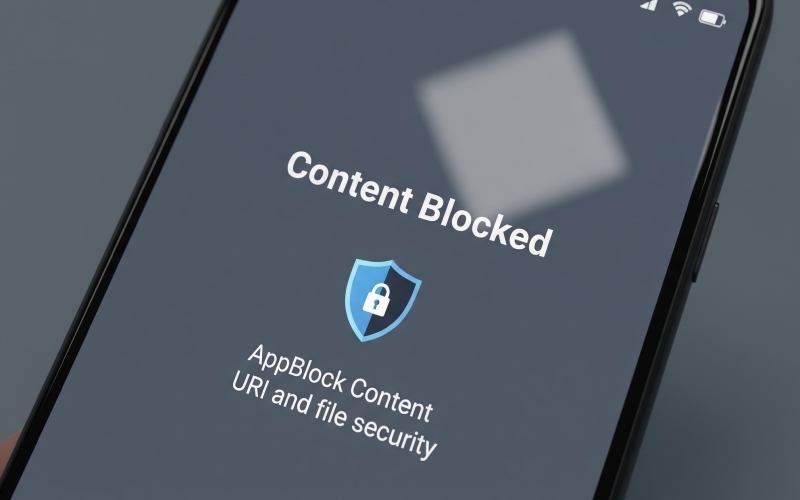
Instead, AppBlock redirects your browser to blank.html, a locally stored placeholder page. This page loads instantly because it comes from your device’s own cache, not from the internet. It can display a clean message telling you that the website has been blocked. The experience feels intentional and professional rather than broken.
This is a standard and widely used design pattern in app development. Many parental control apps, browser extensions, and network filtering tools use a similar approach to display blocked page messages.
Is content://cz.mobilesoft.appblock.fileprovider/cache/blank.html a Security Risk?
No. This URI poses absolutely no security threat to your device or your personal data. Here is why you can be confident about that.
First, this URI is generated by AppBlock, a legitimate app with millions of downloads on the Google Play Store. It is not created by malware or any unauthorized software.
Second, the FileProvider mechanism ensures that no other app can access the blank.html file without AppBlock explicitly granting permission. Even if another app tried to open this URI without authorization, Android would block the attempt at the system level.
Third, the file itself is just an HTML placeholder. It contains no executable code, no tracking scripts, and no personal information. It is simply a page used to inform you that a website has been blocked.
If you are seeing this URI in your browser history, it means AppBlock blocked a website and redirected your browser to this local page instead of the actual site. That is normal behavior.
Where You Might See This URI
There are a few common situations where this string might appear and cause confusion.
You might see it in your browser’s address bar or browsing history right after AppBlock blocked a website you tried to visit. You might also find it listed in system log files if you are an advanced user who monitors app activity. Some device cleaner or file manager apps may list this path when scanning for cached files. In rare cases, it could appear in crash reports if something went wrong while AppBlock was rendering the blocked page.
In every one of these scenarios, the URI is there because AppBlock is doing exactly what it is supposed to do.
What Happens If You Delete the Cache?
Since blank.html is stored in AppBlock’s cache directory, it is a temporary file. If you clear AppBlock’s cache through your device settings, this file will be deleted. However, that is not a problem. AppBlock will recreate the file automatically the next time it needs to display a blocked page. Clearing the cache is safe and will not break any AppBlock functionality.
Understanding Android FileProvider Security
It is worth taking a moment to appreciate why Android uses FileProvider instead of direct file paths. In older versions of Android, apps sometimes shared direct file paths with each other. This created security vulnerabilities because a malicious app could potentially guess or exploit those paths to access sensitive files.
FileProvider eliminates this risk entirely. When AppBlock needs to show your browser the blank.html file, it does not hand the browser a raw file path like /data/data/cz.mobilesoft.appblock/cache/blank.html. Instead, it generates the Content URI you see. This URI is temporary and permission-controlled. The browser can only access the file because AppBlock has granted it specific, limited permission to do so.
This is exactly how Android wants apps to behave. Seeing a FileProvider URI like this one is actually a sign that the app follows good security practices, not a warning sign.
AppBlock and Digital Wellbeing
AppBlock is designed for people who want to manage screen time and reduce digital distractions. Its features include scheduled blocking, where you can restrict access to certain apps or websites during specific hours of the day. It also supports location-based blocking, which activates blocking rules automatically when you arrive at a particular place like your office or school. A strict mode prevents you from disabling the block before the scheduled time ends, which helps users stay committed to their focus goals.
Every time one of these blocking rules activates and stops a website from loading, the content://cz.mobilesoft.appblock.fileprovider/cache/blank.html URI is called upon behind the scenes to display the placeholder page. It is a small but important part of how AppBlock delivers a smooth user experience.
Final Verdict
The string content://cz.mobilesoft.appblock.fileprovider/cache/blank.html is nothing more than a secure internal reference to a placeholder HTML file used by the AppBlock app. It uses Android’s Content URI system and FileProvider security architecture, both of which are standard and recommended practices for Android app development.
If you have AppBlock installed on your device and you see this URI, it means the app is working correctly. There is no reason for concern, no need to scan for viruses, and no need to uninstall the app. It is a feature of a well-designed productivity tool, not a fault in your device.
Understanding these kinds of technical strings makes you a more informed Android user and helps you tell the difference between something genuinely suspicious and something that is simply doing its job quietly in the background.